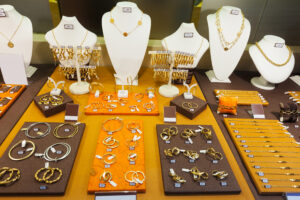
Look at two gold rings in your display case. Same design. Same size. One weighs 4.2 grams and the other 4.4. One is 22 karat, and one is 18. Without a tag that tells them apart, staff guess, or they weigh and check by hand.
A barcode tag fixes that. One scan tells you which ring it is, what it weighs, its purity and where it belongs. Jewellery barcode software is the system behind that tag. It creates the codes, prints the labels, reads the scans and updates your stock.
In this guide, we’ll cover what the software does and what a tag should carry. We’ll also follow a barcode through the life of a piece, compare barcode, QR and RFID, and show how to choose. For the wider picture of stock records, read our guide to jewellery inventory software.
TL;DR
- Jewellery barcode software gives every piece a unique code, links it to weight, purity and design, and updates stock on every scan.
- A good tag carries an item code and the details staff need, while keeping cost information out of customers’ sight.
- A barcode follows a piece from production through stock, sale, return and repair, so retagging mistakes cause real problems.
- Barcodes suit billing. QR codes hold more data. RFID reads many tags at once and speeds up audits. Many jewellers use more than one.
- Synergics Jewellery ERP includes barcode and RFID management inside the same system as stock, billing and accounts.
Table of Contents
- What Is Jewellery Barcode Software?
- What Should a Jewellery Tag Carry?
- How Does a Barcode Move Through the Life of a Piece?
- Barcode, QR Code or RFID: Which Should You Use?
- What Features Should Jewellery Barcode Software Have?
- Where Do Jewellers Go Wrong With Barcodes?
- How Do You Choose Jewellery Barcode Software?
- Why Choose Synergics Jewellery ERP for Barcode and RFID?
- Conclusion
- FAQs
What Is Jewellery Barcode Software?
Jewellery barcode software assigns a unique code to every piece, links it to the piece’s weight, purity, stones and price, and updates stock each time someone scans it. It replaces handwritten tags and manual counts with a scan, so billing, audits and transfers become faster and more accurate.
Without it, near-identical pieces blur together. With it, each piece has its own identity from the day it is made to the day it is sold. The software also prints the labels, so your tags stay consistent.
What Should a Jewellery Tag Carry?
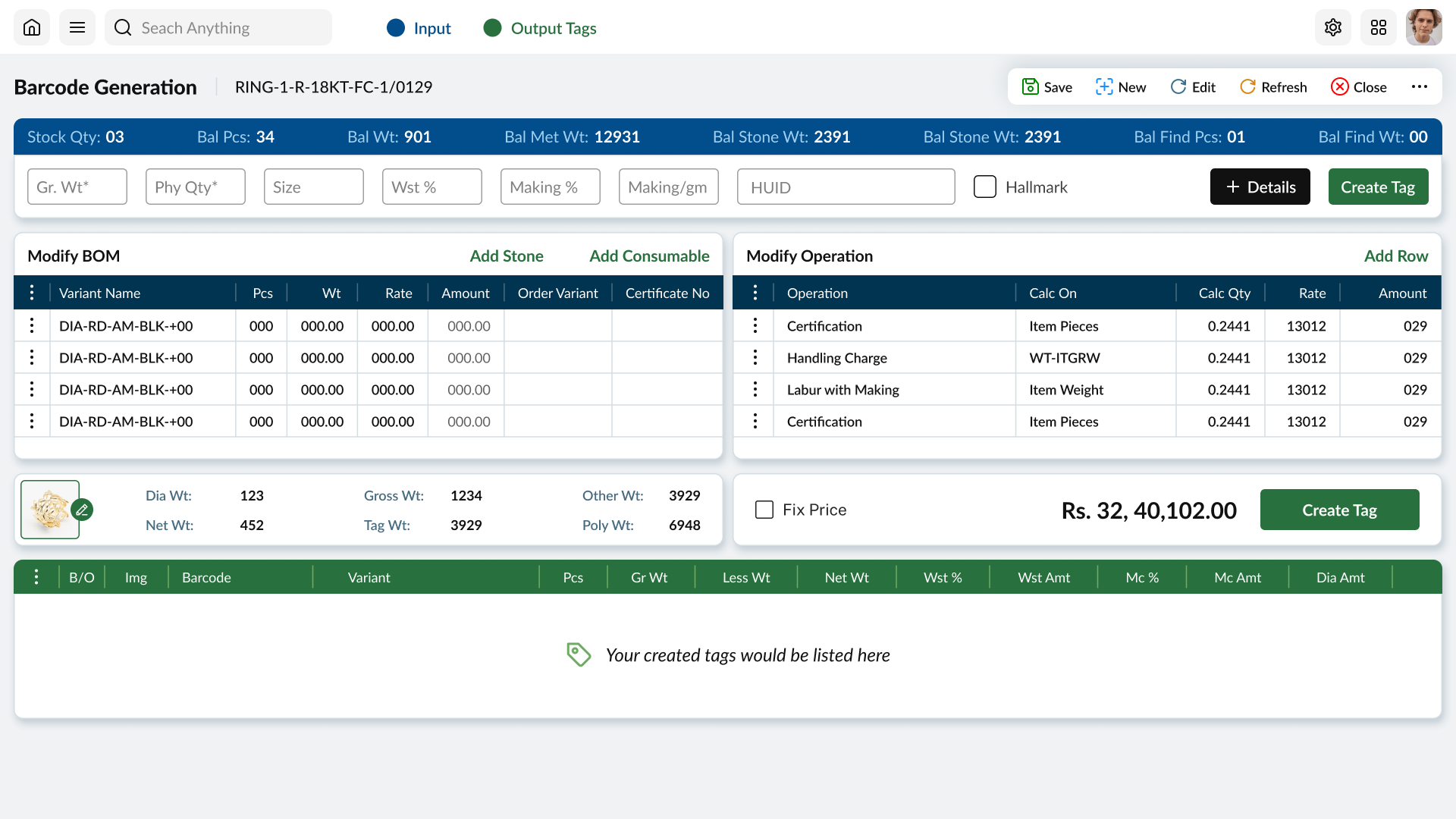
A jewellery tag should carry a unique item code, plus the details staff need at the counter: design, gross and net weight, and purity. Where it applies, include the HUID. Keep cost details off anything a customer can read, and store them in the system instead.
Think of the tag in two layers:
- What the customer can see: design name or code, weight, purity and price where you show it.
- What stays in the system: cost, supplier, karigar, making charge breakdown and the full history of the piece.
The barcode links the two. Staff scan it and see everything. The customer sees only what you choose to show. For more on hallmarking records, read our guide to HUID and how jewellery software tracks it automatically.
How Does a Barcode Move Through the Life of a Piece?
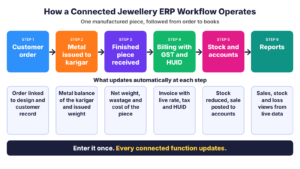
A jewellery barcode is created when a piece is finished, scanned when it enters stock, scanned again at transfer and sale, and scanned when it returns for repair or exchange. Each scan adds a record, so the history of the piece stays complete without anyone writing it down.
Here is the usual path:
- Tagging – After production or purchase, the software generates a code and prints a label with the piece’s details.
- Stock in – A scan adds the piece to stock at the right location.
- Transfer – When a piece moves to another branch or case, a scan records the move on both ends.
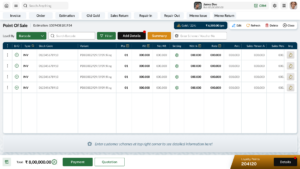
- Sale – The counter scan pulls up weight, purity and price, then removes the piece from stock.
- Return or repair – A scan brings the piece back into the right status, so it is not lost between systems.
- Audit – Scanning a case or a shelf compares what is there with what the system expects.
If any step is skipped, the record has a gap. That is why the tag has to stay with the piece, and why the system should make scanning the easiest option.
Barcode, QR Code or RFID: Which Should You Use?
Use barcodes for fast, low-cost scanning at the counter. QR codes can be used when you want more information in the code itself. Use RFID when you want to read many pieces at once, which helps most with audits. Many jewellers combine them, so each tool does what it does best.
| Features | Barcode | QR code | RFID |
|---|---|---|---|
| How it is read | Line-of-sight scan | Line-of-sight scan | Radio signal, no direct line needed |
| Data it holds | A short code that points to the record | More data than a barcode | A code that points to the record |
| Best for | Counter billing and quick lookups | Tags with extra information or customer-facing links | Fast stock counts and audits |
| Reads many at once | No | No | Yes |
| Typical use | Everyday billing | Digital catalogs, certificates | Showroom and safe audits |
There is no single right answer. Start with what slows you down. If billing is slow, barcodes help most. If audits take days, RFID helps most. Read our guide to stock control to see how audits work.
What Features Should Jewellery Barcode Software Have?
Good jewellery barcode software should generate unique codes, print consistent labels, link each code to weight, purity and design, and update stock on every scan. It should work at the counter, in stock-taking and during transfers, and it should connect to billing and accounts without re-entry.
- Code generation – Unique codes for every piece, with no duplicates.
- Label printing – Consistent tags, sized for small pieces.
- Item-level data – Weight, purity, design and stones linked to each code.
- Counter scanning – A scan fills the invoice, so staff do not type.
- Audit scanning – Compare scans against system stock and flag differences.
- Transfer scanning – Record moves between branches and cases.
- Billing and accounts link – Sales update stock and books together.
- Reports – See scan history, missing pieces and ageing stock.
Where Do Jewellers Go Wrong With Barcodes?
The most common mistakes are tagging inconsistently, duplicating codes, forgetting to retag after repairs and skipping scans during transfers. Each one creates a gap between what the system says and what sits in the case. Small habits fix most of them.
- Inconsistent tags – Different formats across branches slow staff and cause misreads.
- Duplicate codes – Two pieces share a code, so one scan hits the wrong record.
- Retagging after repair – A repaired piece comes back with a new weight, but the old tag stays.
- Skipped transfer scans – Pieces move without a record.
- Showing cost on the tag – Customers can read what you meant to keep private.
- No audit habit – Barcodes only help if you compare scans with stock regularly.
How Do You Choose Jewellery Barcode Software?
Choose software that fits your tags, your counter and your branches. Check that it generates unique codes, prints clean labels and scans at billing, transfer and audit. Then ask the vendor to run a live demo with your own pieces, and confirm that stock and accounts update without retyping.
Ask these questions:
- Can it generate unique codes and print labels for small pieces?
- Does a scan fill the invoice with weight, purity and price?
- Can I audit a case or branch by scanning?
- Does it support RFID as well as barcodes?
- Do stock, billing and accounts update from the same scan?
- How does it handle repaired or re-weighed pieces?
For a wider scorecard, read how to choose the right jewellery ERP software for your business. If billing is your main concern, see our guide to the best jewellery POS software.
Why Choose Synergics Jewellery ERP for Barcode and RFID?
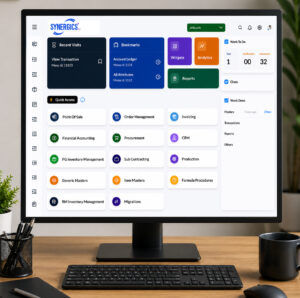
Synergics Jewellery ERP includes barcode and RFID management inside the same system as stock, billing, karigar work and accounts. A scan at the counter updates stock and sales together, and a scan during an audit shows differences immediately. You do not need a separate tagging tool.
Here is what that gives you:
- Barcode and RFID management tracks each piece from production to sale.
- Stock and valuation update after every scan.
- Billing pulls piece details from the scan, so staff do not retype.
- Karigar and production records connect finished pieces to their jobs.
- Multi branch control shows every location’s stock in one place.
- VISOR AI answers stock questions in plain English from your actual data. Read about VISOR, AI for jewellery.
And here is what stands behind it:
- Synergics has built jewellery software since 2008 and has focused only on jewellery for more than 19 years.
- More than 150 businesses in 9 countries use it, including Browns and Angara.
- The platform holds SOC 2 Type II certification, has completed VAPT testing and runs on AWS and Oracle infrastructure.
- Every implementation is configured around how your business actually operates, and usually takes two to three months.
- The quote depends on the modules you need and your user count.
For more, read our guides to jewellery ERP for retail and jewellery stock management software, or see the Synergics Jewellery ERP features page.
Conclusion
Jewellery barcode software gives every piece an identity, so billing, transfers and audits run on a scan instead of a guess. Choose a system that prints clear tags, supports barcode and RFID, and updates stock, billing and accounts together.
Want to see tagging and scanning on your own pieces? Book a free demo with the Synergics team, or write to info@synergicssolutions.com.
FAQs
1. What is jewellery barcode software?
Jewellery barcode software gives every piece a unique code, links it to weight, purity, design and price, and updates stock each time it is scanned. It also prints the labels, so tags stay consistent across branches.
2. What should be printed on a jewellery barcode tag?
Print a unique item code and the details staff need, such as design, weight and purity. Include the HUID where it applies. Keep cost and supplier details inside the system, so customers cannot read them.
3. What is the difference between a barcode and a QR code for jewellery?
A barcode holds a short code that points to the record and is read with a line-of-sight scan. A QR code holds more data and suits tags that carry extra information or links. Both need a scanner or camera.
4. Is RFID better than barcode for jewellery?
They do different jobs. Barcodes suit counter billing. RFID can read many tags at once, which speeds up stock counts and audits. Many jewellers use both. Read our guide to jewellery stock control.
5. Can barcode software work across multiple branches?
Yes, if the system is cloud based. Scans update one shared stock record, so every branch sees the same live numbers, and transfers are recorded on both ends.
6. How does barcode software reduce errors?
It replaces typing and counting by hand with a scan. The code pulls up the right weight, purity and price, so wrong entries and mix-ups between similar pieces drop. Audits also flag missing pieces sooner.
7. How much does jewellery barcode software cost?
Synergics does not publish a price list. The quote depends on the modules you need and your number of users. Book a demo, and the team will prepare a custom quote so you pay only for what you use.