
Jewellery inventory is unlike almost any other retail category. A single tray of rings can hold dozens of near-identical pieces that differ only in weight, purity, or a specific gemstone, and manually tracking that level of detail is where most jewellery businesses lose time, money, and accuracy.
Jewellery barcode software solves this by giving every individual item a unique, scannable identity, so tracking becomes instant instead of manual.
What Is Jewellery Barcode Software?
Jewellery barcode software generates, assigns, and manages barcodes or QR codes for individual jewellery items, then uses that code to pull up everything about the piece the moment it’s scanned: weight, purity, gemstone details, cost, and current stock status. Unlike generic retail barcoding, jewellery barcode software is built to handle item-level detail that matters specifically in this trade, not just a SKU and a price.
Barcode vs. QR code for jewellery. Traditional 1D barcodes work well for simple SKU-level tracking, but jewellery businesses increasingly use QR codes or 2D barcodes because they can store more information directly in the code itself, including weight, purity, and a unique item ID, which matters when every piece genuinely is unique.
Why Jewellery Businesses Need Barcode Software
- Error reduction. Barcode scanning removes manual data entry from the equation, cutting the human error that comes with typing in weight, purity, or item codes by hand.
- Instant accessibility. Scanned data appears immediately, with no delay between physically checking an item and knowing exactly what it is in your system.
- Precise, item-level tracking. Every individual piece gets a unique identifier, not just a product category, which matters enormously in an industry where two rings can look identical but differ significantly in value.
- Faster audits. Physical stock counts that once took hours of manual tallying become a matter of scanning through a case or a tray.
- Reduced shrinkage. Item-level tracking makes it far easier to spot discrepancies between what should be in stock and what actually is.
Key Features to Look For
Easy barcode and QR code generation. You should be able to generate and print barcodes for new items as they enter inventory, without a separate design tool or manual process.
Real-time inventory sync. A scan should update stock levels instantly across every location, not just the one you’re standing in.
Detailed item-level data. Good barcode software captures weight, purity, gemstone specifications, and cost per item, not just a generic product code.
POS and billing integration. Scanning an item at checkout should pull its full details directly into the bill, with no manual re-entry. See our guide to jewellery POS software for how this fits into the full billing and checkout flow.
Reporting and analytics. Barcode data should feed directly into sales and inventory reports, helping you spot high-performing items and slow-moving stock.
Synergics Jewellery ERP: Barcode Software Built for Jewellers
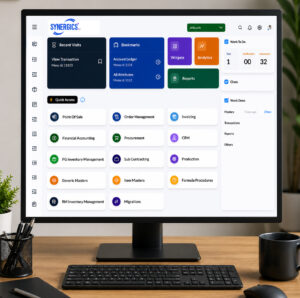
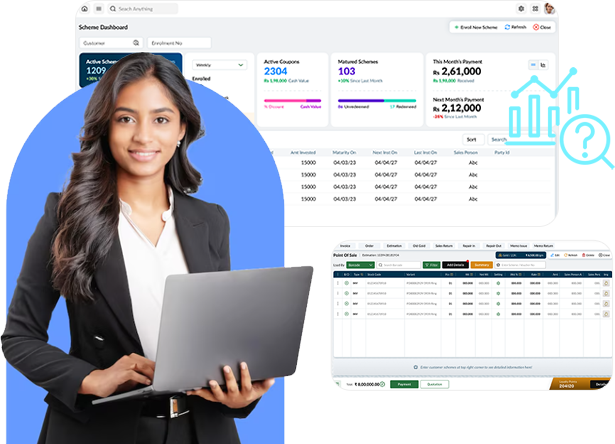
Synergics Jewellery ERP includes a full barcode and QR-based inventory system built specifically for the jewellery trade. This includes unique item-level tracking, instant scanning, and real-time inventory updates across every branch, all connected directly to your jewellery inventory management and retail modules, so a scan at any point in the business updates the same connected system instead of a standalone tool sitting on its own.
Manual Tracking vs. Barcode-Integrated Software
|
Aspect |
Manual Inventory Management |
Barcode-Integrated Software |
|
Accuracy |
Prone to human error |
Highly accurate, scan-based |
|
Time Efficiency |
Slow, manual counting |
Instant scanning and updates |
|
Data Accessibility |
Delayed entry and retrieval |
Immediate access to scanned data |
|
Inventory Tracking |
Limited, error-prone |
Precise, unique item-level identification |
|
Reporting |
Manual, time-consuming |
Automated reports and analytics |
|
Scalability |
Difficult as the business grows |
Scales easily across branches |
Conclusion
For a business dealing in high-value, visually similar inventory, barcode software isn’t a nice-to-have, it’s the difference between knowing exactly what’s on your shelves and guessing. By replacing manual counts and handwritten logs with instant, item-level scanning, jewellery businesses cut errors, save real time on audits, and get inventory data they can actually trust.
Curious what this looks like with your own inventory? Get a walkthrough from the Synergics team and see barcode tracking set up around how your stock is actually organized.
FAQs
1. What is jewellery barcode software?
It’s software that generates and manages barcodes or QR codes for individual jewellery items, letting you scan a piece to instantly pull up its weight, purity, gemstone details, cost, and stock status.
2. What’s the difference between a barcode and a QR code for jewellery items?
Traditional barcodes are typically used for simple SKU-level tracking, while QR codes and 2D barcodes can store more detailed information directly in the code, which suits jewellery well given how much item-specific detail matters.
3. How does barcode software reduce errors in jewellery inventory?
It removes manual data entry from the process. Instead of someone typing in weight, purity, or item details by hand, scanning pulls that information automatically, cutting the errors that come with manual entry.
4. Can Synergics Jewellery ERP generate barcodes for new items?
Yes. It allows barcode and QR code generation and printing for new items as they enter inventory, without needing a separate tool.
5. Does barcode software work across multiple store locations?
Yes. Scans update inventory in real time across every connected location, so stock data stays accurate and consistent no matter which branch an item moves through.
6. How does barcode data help with business decisions?
Barcode-driven data feeds directly into sales and inventory reports, helping you identify high-performing items, spot slow-moving stock, and plan purchasing and pricing with actual data instead of guesswork.